

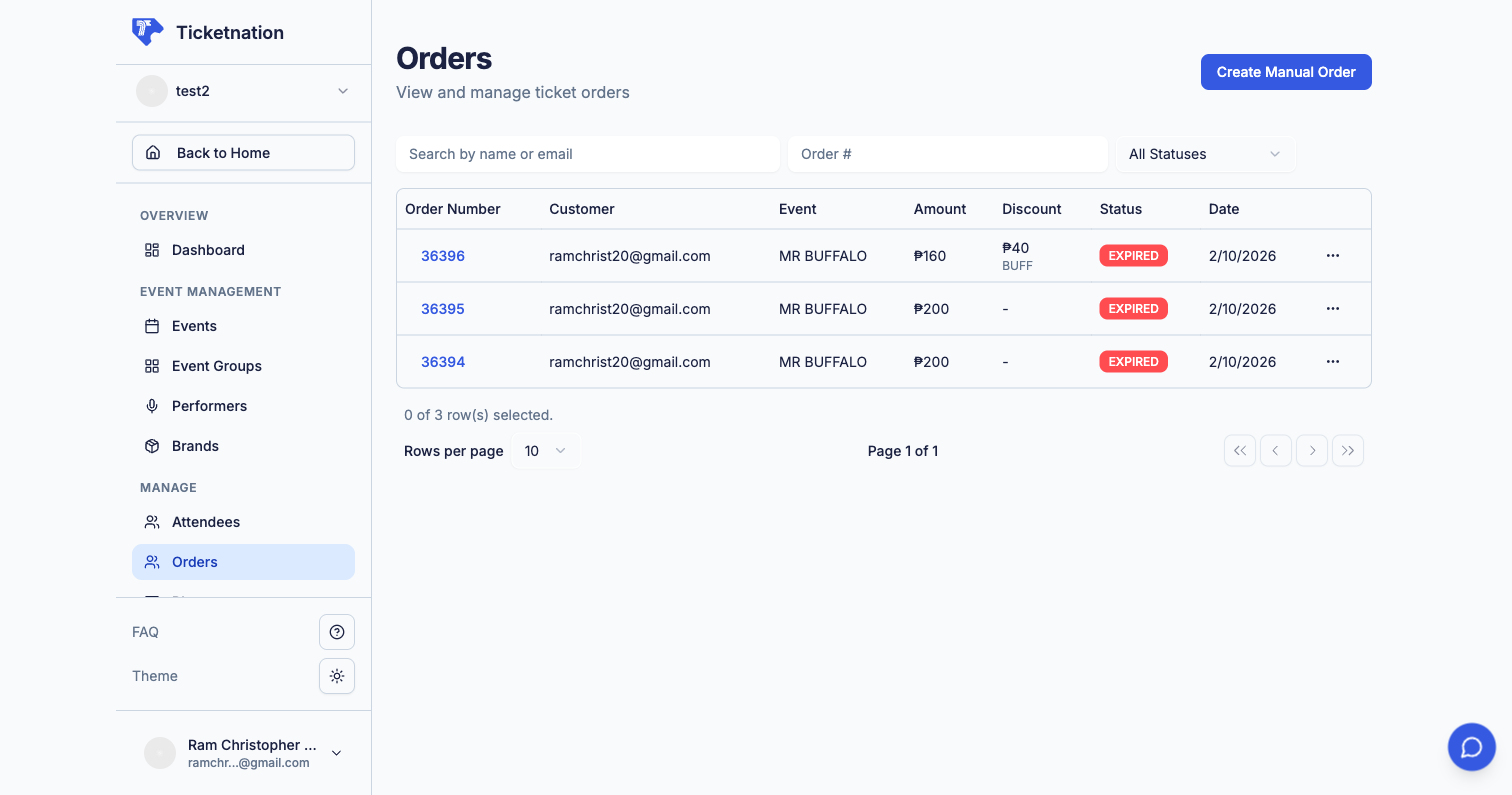
View Orders
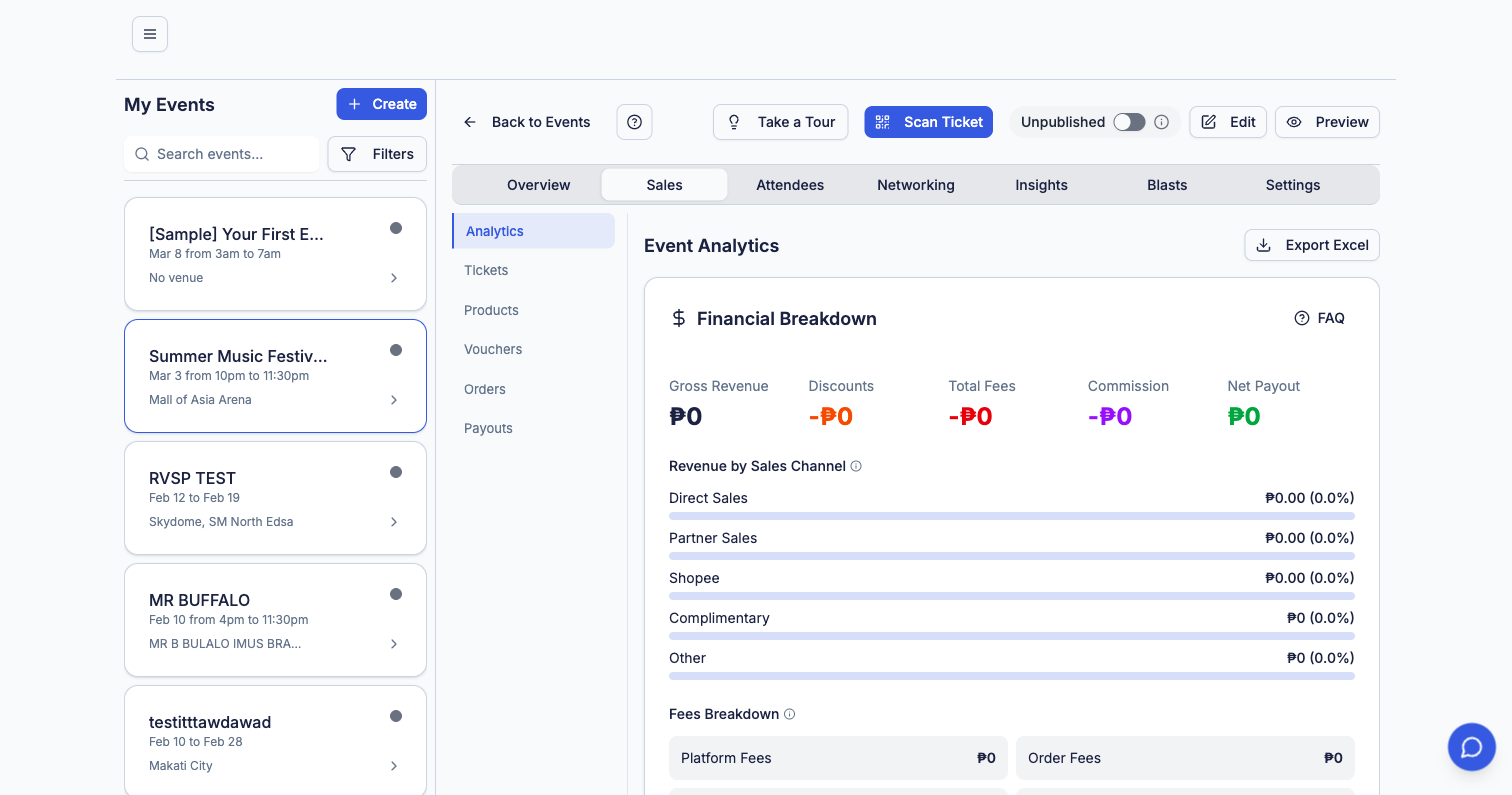
Order List
Every ticket purchase in a searchable, sortable table with buyer name, order date, ticket type, amount, and payment status.
Filters & Search
Filter orders by date range, payment status (paid, pending, refunded), ticket type, or search by buyer name or email.
Order Details
Click any order to see the full breakdown — buyer info, tickets purchased, payment method, fees, and transaction history.
Export
Export your orders to CSV or Excel for accounting, reporting, or importing into other tools.
Order Statuses
Create Orders Manually
Selling tickets at a box office, over the phone, or at a pop-up? Create an order on behalf of the buyer directly from your dashboard.1
Select Event & Tickets
Choose the event and pick the ticket type(s) and quantity.
2
Enter Buyer Details
Fill in the buyer’s name, email, and phone number.
3
Record Payment
Select the payment method (cash, bank transfer, card, etc.) and confirm the order.
Manually created orders appear in your orders list just like online purchases. The buyer receives a confirmation email with their ticket(s).
Order Approvals
For exclusive or invite-only events, enable order approval so you can review and approve each purchase before it’s confirmed. How it works:- Buyer places an order and sees a “Pending Approval” status
- You receive a notification with the order details
- Approve to confirm the sale and deliver tickets, or Reject to cancel
- Rejected orders are automatically refunded
Cancellations & Refunds
Cancel an order and issue a full or partial refund. The money goes back to the buyer’s original payment method.Attendee List
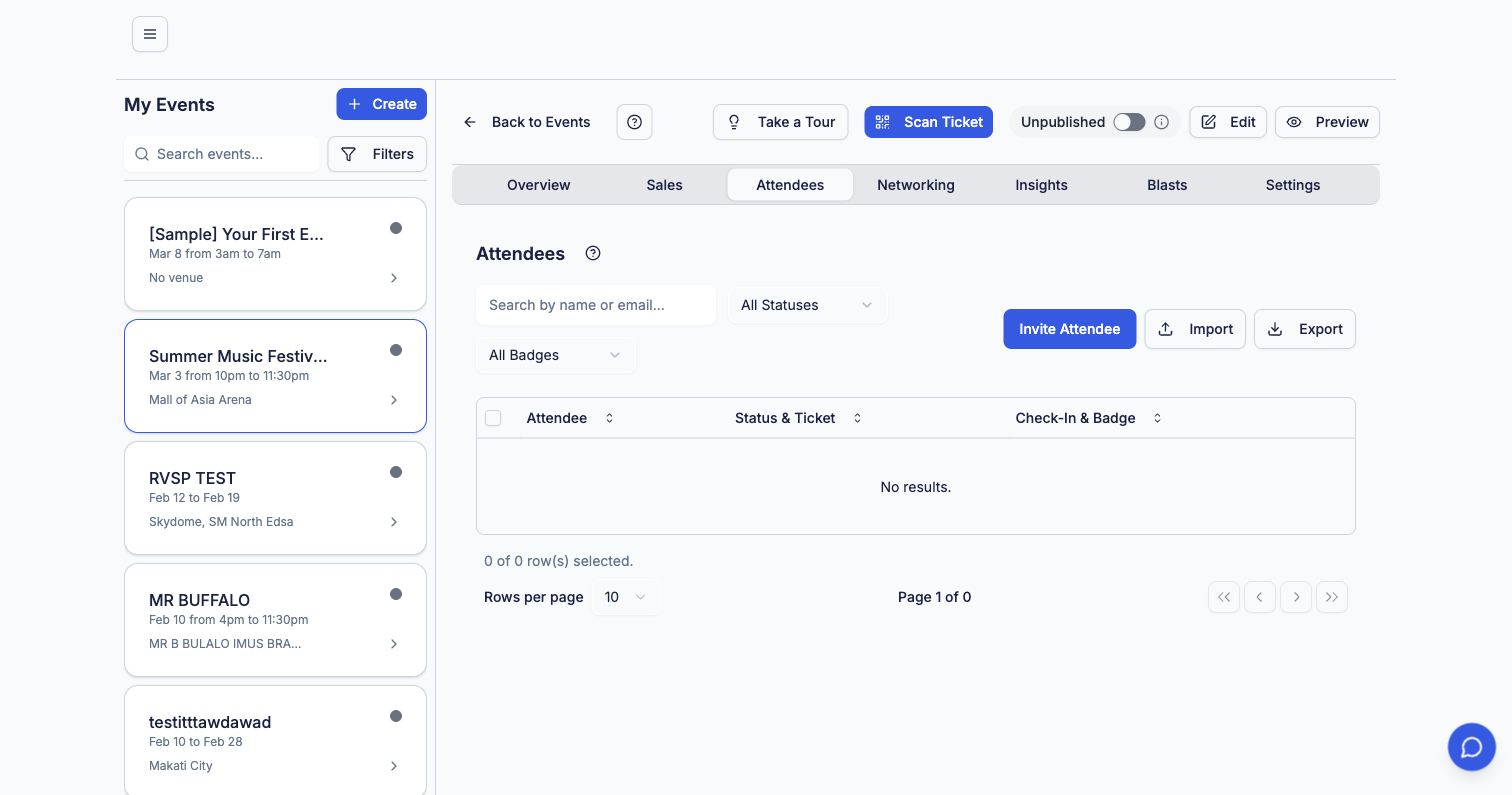
- Attendee name and contact info — email, phone number
- Ticket type — which tier they purchased
- Check-in status — checked in, not yet arrived, or no-show
- Badge assignments — VIP, staff, speaker, or custom badges
- Search and filter — find specific attendees quickly
- Bulk actions — send emails, export list, or update statuses
Import & Invite Attendees
- Import attendees from a CSV file for events with pre-registered guests
- Invite specific people by email directly from the attendee list
Export Options
Export your attendee list to CSV or Excel with customizable fields. Useful for:- Door check-in sheets (offline backup)
- Post-event follow-up campaigns
- Compliance and reporting
QR Code Scanner
A built-in ticket scanner that works on any phone camera — no special hardware needed.Instant Validation
Staff scan the QR code on an attendee’s ticket. The system validates it instantly and shows the ticket details.
Duplicate Prevention
Already scanned? The system flags it immediately. Prevents fake or duplicate tickets from getting through.
Real-Time Dashboard
Track check-in progress in real time from your dashboard — see how many attendees have arrived vs. total tickets sold.
Multi-Staff Support
Multiple staff members can scan simultaneously from their own phones. All check-ins sync in real time.
Ticket Transfers
When a buyer transfers their ticket to someone else, you see the full trail:- Who sent it — original buyer details
- Who received it — new attendee details
- When — timestamp of the transfer
- Transfer status — pending, accepted, or expired
Waitlist Management
When your event sells out, the waitlist captures demand automatically. What you can do:- See how many people are waiting for tickets
- View waitlist sign-ups with contact details and preferred ticket type
- Release tickets — when cancellations or added inventory free up spots, offer tickets to waitlisted fans in order
- Send notifications — automatically notify waitlisted attendees when tickets become available
Waitlist data is valuable even if you don’t release more tickets — it shows unmet demand and helps you plan future events.