> ## Documentation Index
> Fetch the complete documentation index at: https://docs.ticketnation.ph/llms.txt
> Use this file to discover all available pages before exploring further.
# Getting Paid
> Payouts, withdrawals, bank accounts, and financial terms.
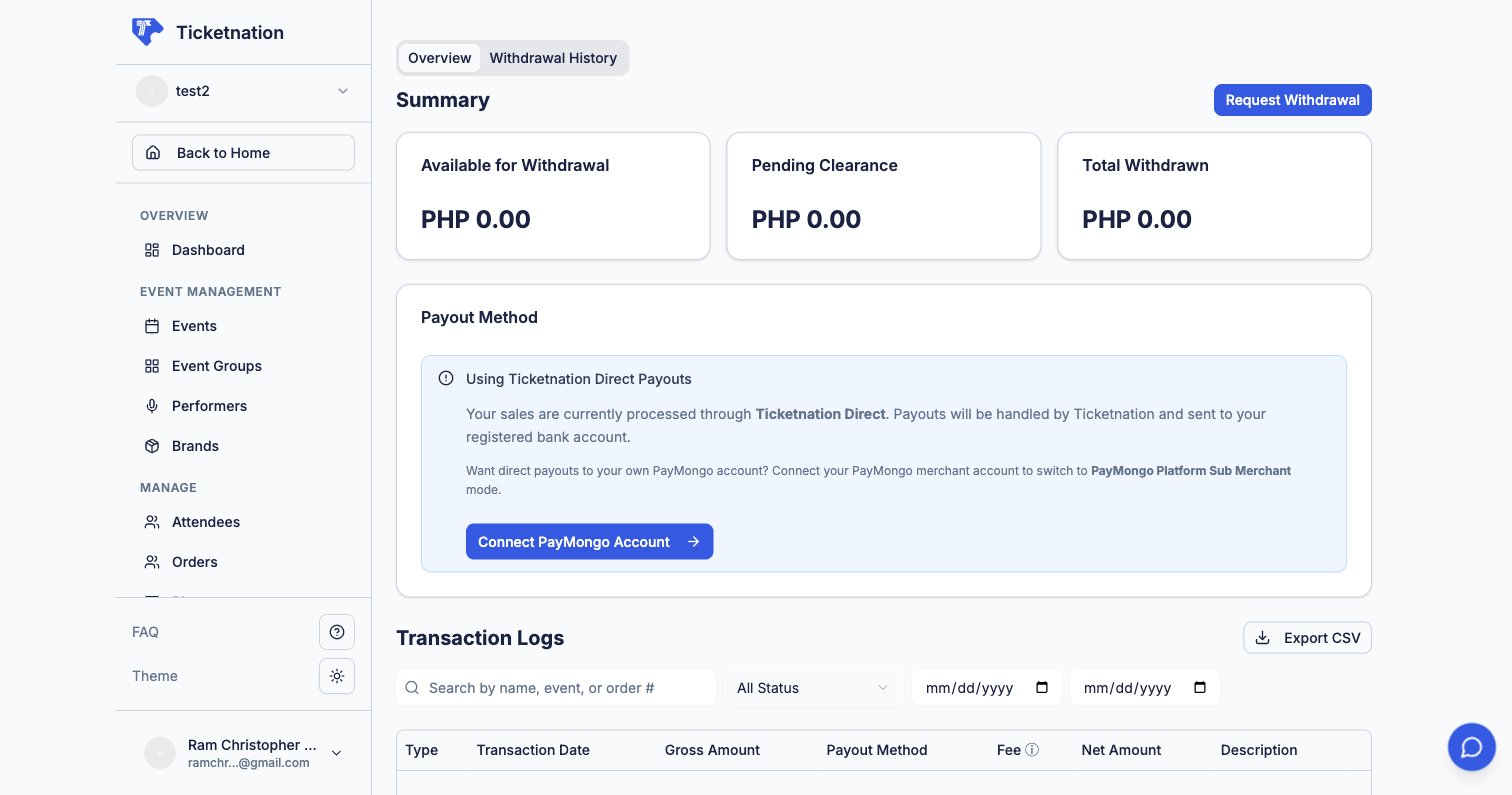 These features ensure you receive your earnings promptly and transparently.
## Payouts & Withdrawals
View your wallet balance (total earnings minus fees), see payout history, and request withdrawals to your bank account. You stay in control of when and how much you withdraw.
## Bank Accounts
Add, verify, and manage the bank accounts where your payouts are deposited. You can have multiple accounts on file.
## Payment Setup (PayMongo)
Connect your PayMongo merchant account so ticket payments flow directly to you. Set this up during onboarding, before your first event goes live.
## Financial Terms
View the commission rates, platform fees, and financial terms that apply to your organization. Includes per-ticket fees, percentage-based commissions, and any negotiated custom rates. Most organizers review these once during onboarding and factor them into their ticket pricing.
These features ensure you receive your earnings promptly and transparently.
## Payouts & Withdrawals
View your wallet balance (total earnings minus fees), see payout history, and request withdrawals to your bank account. You stay in control of when and how much you withdraw.
## Bank Accounts
Add, verify, and manage the bank accounts where your payouts are deposited. You can have multiple accounts on file.
## Payment Setup (PayMongo)
Connect your PayMongo merchant account so ticket payments flow directly to you. Set this up during onboarding, before your first event goes live.
## Financial Terms
View the commission rates, platform fees, and financial terms that apply to your organization. Includes per-ticket fees, percentage-based commissions, and any negotiated custom rates. Most organizers review these once during onboarding and factor them into their ticket pricing.